

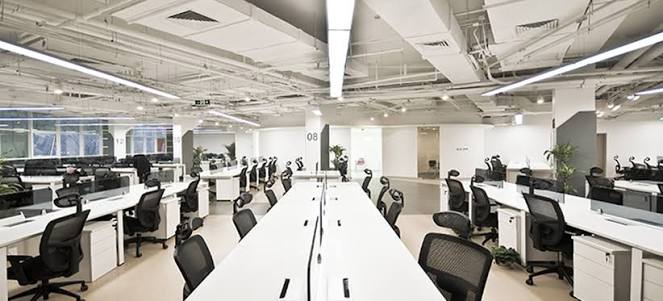
The laptop a firm handed out in 2021 says more about how that firm sees its people than any mission statement on the website. Fall is when a lot of professional services firms quietly reassess their hybrid arrangements, and the technology sitting underneath those arrangements is finally getting a second look. Most of it was never chosen. It was grabbed in a hurry, and it’s been running on autopilot ever since.
That’s the real story behind the empty desks. Two years ago, speed mattered more than fit. A firm bought whatever laptops were in stock, set up remote access however it could be set up fastest, and called it a hybrid work technology strategy. Nobody planned for this to still be the plan years later, but for many firms, it is.
How Hybrid Work Technology Strategy Became an Afterthought
The urgency of 2020 explains many bad technology decisions, and most of them were reasonable at the time. Firms needed people to work from home within days, not months, so IT teams and office managers grabbed whatever would solve the immediate problem: a cheap VPN, a shared login because setting up individual remote access felt like a project for later, and a laptop that was available, not necessarily one built for years of daily use outside an office.
Later never came. The urgent fix became the permanent setup, and most firms never circled back to ask whether it was still the right one. A hybrid arrangement that was supposed to be temporary is now a fixture, running on infrastructure that was never meant to last this long.
That breach matters more for accounting firms, law offices, and property management companies than for many other industries, because these firms handle financial records, case files, and tenant data that require real security, not just a shared password and good intentions.
What Your Return to Office Technology Decisions Say
Return to office technology decisions are where a firm’s actual priorities show up, whether leadership intends that or not. A partner who insists on badge access and desk assignments for everyone, while still routing sensitive client files through a personal email account for remote staff, is telling their people something about which risks matter and which don’t.
Consider two firms making the same decision this fall. One firm brings people back to standardize collaboration and reviews its technology at the same time, replacing shared logins with individual, secure remote access and giving every employee a properly configured laptop regardless of where they sit that week. The other firm brings people back and changes nothing about the technology, because the badge readers were the visible problem and the infrastructure underneath was easy to ignore.
Employees notice the difference. One approach says the firm is thinking about how people work. The other says the firm is managing appearances and hoping the technology holds together quietly in the background.
The second firm usually isn’t being careless on purpose. Leadership is focused on the visible, immediate questions: how many days in the office, how the space gets used, whether the conference rooms are booked. The technology underneath rarely makes that agenda, because it’s been quietly working well enough not to cause a visible fire. Well enough isn’t the same as right, and firms usually don’t find out the difference until a laptop fails at the worst possible moment or a shared login turns into a real security incident.
Workplace Culture and IT Are the Same Conversation Now
Workplace culture and IT used to sit in separate meetings, one for HR and one for whoever handled the servers. That divide doesn’t hold up anymore. The technology a firm gives its people, and how much thought went into it, is now part of how that firm treats its employees, not a separate operational detail.
An office manager working from a five-year-old laptop with a VPN that drops twice a day isn’t just dealing with a technology problem. She’s getting a daily reminder of where she ranks on the list of things the firm decided were worth fixing. A partner who gets a same-day replacement when something breaks, while staff wait weeks for a ticket to move, is communicating a hierarchy whether anyone says it out loud.
None of this requires a firm to spend more than it already does. It requires deciding, on purpose, that the technology setup matches what the firm says it believes about its people, instead of running on whatever got assembled in a hurry years ago.
We work almost exclusively with accounting practices, law offices, and property management companies, and the firms that get this right tend to share one habit. They treat a remote employee’s laptop and access setup as seriously as they’d treat the chair and monitor at an in-office desk, not as an afterthought handled once and forgotten.
Before You Finalize This Fall’s Hybrid Plan
Walk your current setup the same way you’d walk a new hire through the office. Look at what every remote employee is using, not what the original rollout plan said they’d be using.
Note where shortcuts became permanent and where one role gets treated differently than another for no real reason.
That walkthrough will tell you more about what your firm values than any culture survey, and it’s the honest starting point before you lock in how hybrid work looks for the next two years.
If you’re noticing gaps, shortcuts, or security risks, reach out to us to create a secure remote system for you.


