


Recently I wrote about why Windows 10 has been offered for free to the millions and millions of Windows 7 and 8 users: profit. Get ’em hooked on your shiny new OS, and then reel them in when it comes time to start upgrading your businesses, all who employ people who have become familiar with the new OS (whether they wanted to or not). But wait, Chris, isn’t Windows 10 free for businesses too? Maybe the small ones, but when you have more than a couple dozen computers, your Windows and Office applications are typically acquired through one of Microsoft’s myriad licensing programs. Up until now, one of the licensing options many businesses opted for was essentially a one time purchase of Windows for each computer, providing a license that did not need to be renewed (unless you wanted support directly from Microsoft), and in certain cases, was transferable from computer to computer as you upgraded. This model is changing with Windows 10 Enterprise, and presumably at some point in the future, for all flavors of Windows going forward. Starting this Fall, companies who want to upgrade their fleets of computers to 10 will pay $84/seat/year.
What this means for you:
With previous versions of Windows, Microsoft had committed to providing updates and patches essentially for the life of the product. You bought Windows once, presumably when you bought your computer, and never another dime to Microsoft after that. Though they haven’t outright said so, the subscription model for Windows implies that unless your subscription is maintained, updates and even certain functionality will cease when your subscription lapses. Any of you who have had your Office365 subscription lapse may have already experienced this: the software isn’t removed from your computer, but certain key functions are disabled, such as printing and saving, until your subscription is reactivated. This was a rude awakening for some who were used to the buy-it-once models of Office 2007 and 2010. Microsoft has gone on record stating that the Windows 10 licenses acquired through their free upgrade offer this past year will remain free for the “life of the machine” on which it is installed, but as you may have suspected, this free license is tied to that specific machine, and is not transferrable to a different computer. For the moment, the non-Enterprise versions of Windows 10 appear to be free of subscription hooks, but don’t count on it lasting much longer.

It wasn’t enough that one tech giant was making hot headlines because their products were literally a fire hazard, now computer manufacturer Lenovo is feeling the burn due to a recently disclosed vulnerability that could have a widespread impact on many of their computers. Dubbed “ThinkPwn” by its discoverer as a play on the popular Lenovo ThinkPad model, this particular weakness seems to impact the entire ThinkPad line going back several years as it’s a flaw embedded in the firmware of the chipset used in dozens of computer models, including, unfortunately, HP and motherboards made by component manufacturer Gigabyte, which are extremely popular amongst build-your-own PC enthusiasts. The ThinkPwn weakness appears within low-level code that provides core security infrastructure to the operating system that runs on top of it. If Microsoft Windows was your house, this code is a big crack in your foundation.
What this means for you:
Neither Lenovo or HP have disclosed which models are affected, but it seems widespread enough that Lenovo has issued an “industry-wide” warning. Presumably all affected manufacturers are working on security fixes, but none are available yet, so if you own an HP or Lenovo (or Gigabyte-powered PC), sit tight, make sure your antivirus is up to date, and remain vigilant.
How did this vulnerability come to impact so many computers? The hardware-layer code that powers the machine-OS interface (BIOS on older machines, UEFI on newer computers) is also written and updated by a small number of companies called Independent BIOS Vendors or IBVs, all of whom use a base set of code from chipset manufacturers like Intel and AMD. Like so many other widespread weakness, the proliferation of the flaw comes from everyone in the industry relying on a core set of code. Thank you, Mass Production!

Of all the people I’ve talked to about surprise Windows 10 upgrades, very few were happy with the event even if the upgrade actually ended up in a functional computer (a good percentage don’t). One woman in California was angry enough to sue Microsoft over the unwanted upgrade, and actually prevailed. You’ll notice I didn’t say “won” as Microsoft admitted no wrongdoing on their part and dropped their planned appeal in order to avoid further litigation costs. Truth be told, I’m fairly certain Microsoft could have easily won by throwing their third-string litigation team at this case with microscopic impact on their finances, but perhaps some smart folks got in front of the lawyers to prevent what would surely have been a PR nightmare. Microsoft has been part bully/part implacable juggernaut when it comes to Windows 10 upgrades, and a lot of my clients have been asking why they are pushing so hard.
This is easily answered with one word: Money
But wait, isn’t Microsoft giving away Windows 10 for free? Absolutely, and it’s still available up until the end of July for the same low, low price of zero bucks. But just as your favorite aged relative is fond of saying, “Ain’t no such thing as a free lunch!” What many folks don’t know is that Microsoft is intending for Windows 10 to be their gravy train for the foreseeable future by converting the OS to a subscription model, just like they did with Office, which, by the way, is another big money-maker for them. It’s free for now, but at some point in the near future, the next upgrade won’t be. It will only be available for computers that have paid subscriptions to Windows 10. That’s right, your first “hit” was free, but now that you are hooked, you have to pay to support your “habit”.
That’s not the only hook. Some of you noticed that some of your favorite time-wasters like Freecell are now only available through the Windows Store, another “convenient” feature available in Windows 10. By pushing millions of Windows computers to their new operating system, Microsoft is hoping to create a new source of revenue that is sitting right on your start bar. If it sounds familiar, that’s because Microsoft has taken a page from Apple’s playbook, replicating the incredibly profitable app store model used on iOS devices. The forced Windows 10 upgrades will supply the demand, and the supply is handily built into their new OS.
In a list of things in life (blind dates, new sports cars, Spotify playlists, etc.) that should be “fire” (latest slang for “hot”) your laptop and its battery should not be named. Unfortunately, if you happened to have purchased certain HP laptop models between 2013 to 2015, you might be re-introduced to the literal definition of “fire”. Technology manufacturer HP announced a worldwide, voluntary recall of certain batches of batteries that “pose a fire and burn hazard” that have shipped from the factory in 35 different laptop models, and may have been installed after-market in 38 other HP and Compaq models. HP has a full listing of impacted models on their website, and offers both software and physical means to determine if your battery is affected by this recall.
What this means for you:
If you’ve purchased an HP laptop anytime between now and 2013, I recommend flipping it over and checking the battery’s serial number on HP’s site. While you’ve got it upside down, visually inspect the battery and laptop for warped plastic, bulging or discoloration of any surrounding materials. Carefully check if the battery is hot to the touch. Warm is OK, but if it’s too hot to touch with your finger, you may have a problem. Keep in mind that certain laptops may run quite hot during CPU-intensive activities, including working with very large documents, playing video games or watching streaming video, and more so if the laptop is resting on insulating materials like blankets, cushions or even your pants or dress. It may also get hot if vents on the sides or bottom of the laptop are blocked for even short periods of time. Don’t panic if your laptop doesn’t have vents – the manufacturer only puts them in if the design calls for it. If your battery is not part of this recall, shows no signs of warping or heat damage, but still seems unusually hot to the touch even after working with it on a cool, flat surface, consider replacing it, either under warranty if still applicable, or by purchasing a replacement, preferably from the same manufacturer as your laptop. Cheaper, off-brand batteries might be an option, but check reviews as the knock-offs tend to have more problems with reliability and longevity.

Though it’s been reported as being on death’s door for well over a year, Adobe Flash is still in wide use on the internet. Just as stubbornly, security problems continue to plague its undying existence, and the latest is already being exploited by an advanced persistent threat group dubbed StarCruft by security firm Kaspersky. Details are sketchy at the moment – Adobe isn’t publicizing any details on the loophole, and it won’t be patched until June 16 at the earliest.
What this means for you:
According to Kaspersky, the exploit is definitely being used to attack what they call “high value” targets – primarily large companies or organizations with data that would be prized either for criminal or political value, but that doesn’t mean anyone can rest easy. The patch from Adobe will most likely solve this particular vulnerability, but you can count on other exploits being discovered, as they always have in the past, and, as always, the fix is entirely dependent on people actually updating their software on a regular basis. Until you can confirm Flash has been patched on your workstation, avoid clicking strange links (as always), and make sure you have updated malware protection in place.
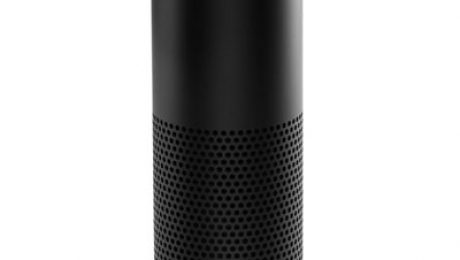
For those of you who haven’t seen the Amazon Echo in action yet, it can be quite an eye opener. We are quickly converging on an environment that was not long ago considered science fiction. The Echo can quietly sit in the corner of your room, waiting for anyone in the family to give it a command, whether it’s to play some music, check the weather or order something from (surprise surprise!) Amazon. It’s also a perfect example of technology racing ahead of the law, and unlike the ongoing controversy around email and ECPA, the stakes are much higher because of who is allegedly at risk: our children. I’ll admit that this may seem a bit melodramatic, but the Guardian US isn’t wrong when pointing out that Echo and other products like it (think Apple’s Siri and Google Now) might actually be in violation of COPPA. For those of you in the room who are not lawyers, this is the Children’s Online Privacy & Protection Act of 1998 which, among many things, prohibits the recording and storage of a child’s voice without explicit permission of their parents or legal guardian.
What this means for you:
Even though I am a parent of young child for whom COPPA was enacted to protect, it hasn’t been too hard to suppress the urge to disconnect and discard every voice-activated, internet-connected device we own (which would be quite a few, including my daughter’s precious iPad). As with many technology items that dance on the edge of privacy invasion, I weigh the convenience and value they bring against the loss of privacy and security they inherently pose. I do see the problems technology like this presents: thousands (possibly millions) of parents set down products like Echo and Siri right in front of their children precisely because using them is simple and intuitive, and in the case of Echo, they are actually designed for use by everyone in the family. However, most people probably don’t realize that today’s voice recognition technology relies on pushing recordings of voice commands to the cloud where they are cataloged and processed to improve algorithms. Not only do those recordings store our children’s voices, they are also thick with meta data like marketing preferences, “Alexa, how much does that toy cost?” and location data, “Alexa, where is the nearest ice cream shop?” I’m pretty sure none of us gave explicit permission to Apple before allowing our kids to use Siri on their iPads and iPhones. If you were to adhere to a strict interpretation of COPPA, Apple, Amazon and Google (as well as many others) have an FTC violation on their hands that could cost them as much as $16,000 per incident.
As for your Echo (or smartphone or tablet) – only you should judge whether it’s an actual risk to your child. For the moment, the law is unclear, and knowing our government, likely to remain so long after the buying public makes up its own mind.

In what appears to be a record breaking breach, the information exposed when MySpace was hacked in 2013 has finally been publicly documented by website LeakedSource as containing nearly half a billion passwords for 360 million accounts, dwarfing previous breaches like the US Voter Database Breach (190M), Ebay (145M) and Global Payments (130M). What makes this breach particularly egregious is the fact that MySpace was storing this data with very weak encryption (SHA1) and no “salting” (an encryption technique to add complexity and randomness to each stored password), resulting in a massive password source for hackers and identity thieves.
What this means for you:
Numerically speaking, the odds are at least one of your passwords (present or past) has been compromised and is likely to be found in either LeakedSource’s or Have I Been Pwned’s databases, both of whom offer a simple lookup tool to check to see if your password or passwords have been exposed in any of the numerous breaches that have occurred over the past few years. Depending on how diligent you have been in keeping unique passwords or at least changing them, if a search turns up positive on either site, and you are still using that same password or a similar one with minor changes, you should go out and change it immediately. Additionally, if it’s available, you should be using 2-factor authentication to secure any important online accounts, especially email. Lastly, stop using the same password everywhere. It’s only a matter of time before that will come back to haunt you!
Image courtesy of David Castillo Dominici at FreeDigitalPhotos.net

In an extremely unusual occurrence, the operators/handlers of the infamous TeslaCrypt ransomware have announced they are discontinuing operations of their highly lucrative malware campaign for undisclosed reasons. Analysts speculate it could be anything from growing law enforcement attention, redirection of resources on even more virulent malware, to the unlikely scenario that the operators have made enough money and are feeling generous. Whatever the case may be, researchers from security company ESET contacted the “retiring” operators and asked them if they would publish TeslaCrypt’s master key, and to everyone’s astonishment, they obliged. Armed with this critical piece of data, ESET and others have built apps that have the capability of decrypting data that is being held captive by any number of TeslaCrypt variants dating back as far as early 2015.
What this means for you:
For one of my clients, a distant hope for this exact scenario finally paid off. Their data has been trapped in encryption for over a year, and as they didn’t have a viable backup at the time of the infection, they walked away from nearly a decade of data that was locked away even after paying the ransom. After our initial attempts to recover the data with what seemed to be a fake key, we put the data aside in the hopes that the master key would someday be recovered, possibly through law enforcement activities. Fast forward to this past weekend: after several hours of number crunching with tools provided by the brilliant folks at BleepingComputer.com and the master key secured by ESET, I was able to successfully decrypt nearly 200,000 files in what appears to be a full recovery of the “kidnapped” data.
If you happen to be among the unfortunate few who fall into this same ransomed data, backup-bereft category, your long-odds gamble may actually pay off like it did for my client. Counting on events like this unfolding for other variants of malware is still highly irrational. Last time I checked, there were still large portions of the world beset by malicious and criminal behavior, and it may never be revealed why the TeslaCrypt operators released the master key. Even if some hackers discovered compassion for their fellow humans and gave up their black-hat ways, there are ten others ready to take their place. Cybercrime continues to be a huge moneymaker for the criminal element. For this reason alone, you should continue to reinforce your technology defenses with a strong firewall, competent anti-malware and reliable offsite backups.
Image courtesy of renjith krishnanat FreeDigitalPhotos.net

In case you are new here, let me catch you up on the primary purpose of this blog. My objective is to scare you into being more secure with technology. It doesn’t always work – one person’s phobia is another’s fetish, but this one ought to give you pause. A white hat security hacker has uncovered a bug in Symantec Antivirus that would allow for an almost trivial exploitation of its scanning engine to actually compromise the computer its supposed to be protecting. And this bug exists across all three major operating systems – Windows, OSX and Linux – something that is very rare in any type of software. Not worried yet? A victim doesn’t even need to open an infected file because Symantec will do it for them when it scans the file in your email, or scans a link in your web browser. Just touching a file designed to exploit this bug will cause a memory buffer overflow, which is tech-speak for “OK malware, I’m puckering up so you can plant a big haymaker right in my kisser.”
What this means for you:
If you don’t use Symantec or Norton products for malware protection, carry on and enjoy that feeling of schadenfreude most technology users rarely experience. If you do use either of those products, Symantec has already patched this bug, and if your software is set to update automatically, it should no longer be a problem. There in lies the rub: do you know if your antivirus is up to date? How many of you have been ignoring the little warning flags your AV has been waving at you from the corner of your screen, “Hey, I need to update but I can’t for some reason!” Do you know how to make sure your antivirus is updating regularly? By the way, “regularly” means daily, if not multiple times a day. Zero-day exploits are sometimes seen within hours of an vulnerability being published. Security companies like Symantec stake their reputation on reacting quickly, but they can only lead your computer to the update river. You need to make sure it’s drinking deep, daily. Not a software update wrangler by trade? Well it just so happens I know someone who is, pardner.
You wouldn’t let your business be run by amateurs, why would you leave your technology to anyone less that an experienced professional?
As the adage goes, “All good things must come to and end.” Microsoft has announced that as of July 29, 2016, it will no longer offer the free Windows 10 upgrade to Win7 and 8 users. Now whether this offer qualified as “good” is a matter of debate for some folks, especially the ones that have been nagged to the edge of patience to upgrade, or the ones that finally relented, only to discover that despite Microsoft’s assurances that their computer was readyfor the switch, it was very much not. For those of you still dutifully ignoring Microsoft’s system tray app “Get Windows 10” (aka GWX), your ordeal will be over before the summer is done.
What this means for you:
If you’ve been holding out upgrading, but still plan to take the plunge, you’ll have to make a decision very shortly. Though it’s likely Microsoft will have some sort of upgrade offer to carry on the Windows 10 crusade, it may not be as generous as the one expiring in a few short months. My recommendation hasn’t changed in this regard: your computer needs to be a late model computer (2 years old, max!) with at least 4GB of RAM and at least 500GB of hard drive space, running a 64-bit OS before you should even consider upgrading. On top of this, your OS must be in tip-top shape, meaning no recent malware infections, major software crashes or undiagnosed performance issues – these things will wreck a Windows 10 upgrade without exception. Additionally, you need to make sure any critical software on that computer is Windows 10 compatible and supportable. The latter is key – lots of software will run on Windows 10, but the manufacturer may not provide any support, and even if you have pros like C2 in your corner, there’s only so much we can do without official support. Look before you leap, but start looking now!