


In the early days of the internet, building a server dedicated to providing email for your company was a sign that you understood the significant role it played (or would play) in your company’s success. Even small companies spent countless thousands of dollars investing in these complex technology beasts, primarily because it was either that, or use consumer services like CompuServe, HotMail or AOL which just couldn’t meet the growing security and legal needs of most companies. Fast forward to today and I’m still seeing SMB companies insisting on running their own servers for reasons that have since become a liability to their own business.
Things you should consider if you are still running your own email server:
- Do you think your email server is more secure than the ones run by Google, Microsoft or any technology company who’s entire business model is built around providing that service? Unless you are in the business of providing email services, you should focus your efforts and money on your core business.
- How reliable is your technology infrastructure? What happens when your internet goes down? What about the power in your building? Most clients I know have at least one planned power outage a year and probably several unplanned ones, on top of the occassional internet circuit failure. One client was recently down for over a week during the Verizon-Frontier fiasco. Could you survive without email for that long? Could your company?
- How much money have you spent supporting an email server that provides service for a small staff? Have you calculated the cost per user per month? Is it less than $5? If not, you are not “beating the market”. And even if you are, how long do you think that will last? Did you factor in spam and malware filtering licensing costs?
- After having the same mailbox and server for years, has your mailbox grown to an enormous size and now you are running out of space and have no real means to do anything about it? Is your mail backed up? Can you even reasonably search through that much email and not have constant problems?
- Have changes in your industry required you provide security like encryption or compliance filtering? Suddenly you are faced with the prospect of needing to not only purchase new software, but also having to update your technology infrastructure just to be compatible with the new software.
If any of these five points hit close to home, you should definitely be considering the move to a hosted email provider. The market has stabilized to the point of being able to provide enterprise-grade email services on an SMB-sized budget, leveling a playfield that used to favor deep pockets and dedicated IT staff. It’s time to retire the in-house email server and invest in the future of your business instead of a dead-end technology strategy.

During it’s heyday, Apple’s QuickTime software was arguably hailed as the king of digital video. Though there were many competitors (remember Real video?) Apple’s codec reigned supreme in both editing as well as playback for many years, making Apple’s Mac computers the defacto standard in high-end digital video editing. Not unwisely, Apple realized the untapped market potential on the Windows side of the fence, and released a version of QuickTime for Windows 3.1 in 1996, and has steadily iterated on the platform through last year, though its use has declined steadily since the rise of streaming web video. Apparently usage has fallen off so dramatically that Apple recently announced it was no longer supporting the Windows version of QuickTime, hot on the heels of the announcement by US-CERT that the latest version of QuickTime for Windows had two significant zero-day vulnerabilities.
What this means for you:
Because I know you, I won’t bore you with the how the zero-days work, just know they are serious enough for the Department of Homeland Security to issue an alert. It’s not likely you will have Apple’s QuickTime software installed on your late-model business computer, but if you own an older computer at home (5-6 years old), and you’ve installed iTunes on that computer you probably have QuickTime is installed as it was bundled into iTunes as recently as 2011. If you happen to be in the relatively narrow demographic of digital video editor using Windows and Adobe’s Creative Cloud suite, you might also have QuickTime installed as it’s a requirement for certain video editing formats.
Either way, if you have it installed, remove QuickTime immediately. Apple has no plans to patch the vulnerabilities, and even though there are no known exploits in the wild as I write this, you can bet the high profile exposure has already triggered a wave of malicious programming. The easiest way to determine if QuickTime is installed is to go to Control Panel -> Programs & Features -> Uninstall Programs and scan through the list for “QuickTime” (not Apple QuickTime, like you might think). On older OSes you might have to look in Control Panel -> Add/Remove Programs. While you are there, you can look for other old programs you don’t use anymore and remove them in the spirit of spring cleaning.

There is no question that the cost of technology has decreased dramatically over the years, especially if the average return on investment is taken into account. However we at C2 have always taken the stance that bargain technology isn’t always a bargain for a variety of reasons. As famously said by astronaut Alan Shephard, “It’s a very sobering feeling to be up in space and realize that one’s safety factor was determined by the lowest bidder on a government contract.” Likewise, would you trust your business and security to something that was the cheapest on the market? Well, what about virtual things, Chris? Those aren’t the same as a charger you plug into your phone, or a tablet you use to check your email, right? Thanks to the expansion of top level domain names like “.top”, “.date” and “.xyz”, market competition has driven domain registration prices into the basement for the lesser known (and commercially used) TLDs, going for as cheap as $0.88 per domain. Security thinktank Talos has done the math and their research into cheap domain names bears out our philosophy: cost does correlate to quality and risk.
What this means for you:
In a nutshell, the Talos blog tells us what real estate agents already knew long ago: “Location, location, location.” In this case, because of how readily available and cheap certain top level domains have become, the security analysts behind this blog article figured there would be a correlation between cheap TLDs and malware distribution sites, i.e. cybercriminals would take advantage of the cheap domains for their attack and payload sites. As anyone with a lick of business sense knows, lowered costs equals increased profits, and as has been amply demonstrated by the large amounts of money at stake in cyberfraud, the folks behind the rising tide of profitable malware are no dummies. All this to say, just because a domain name is cheap and available does not make it a good buy, especially if the TLD is associated with pursuits irrelevant or at odds with your brand. As an (absurd) example, would it make sense for an accounting firm to register a “.party” domain? Unless they were looking to make a radical change in their market direction, this isn’t going make sense, regardless of how inexpensive it was. For the new TLDs it will be awhile before a new normal is established (if it ever will be). Their currently cheap prices are lowering the rent in that area, and its not a neighborhood you want to settle into, at least for the moment.
Image courtesy of Stuart Miles at FreeDigitalPhotos.net

Looking back over the past few weeks I realize I’ve fallen down on my job of terrifying you with news of the latest technology boogeyman. There’s a new ransomware in town and this one gets down to business in a hurry. Dubbed Petya by security company F-Secure, this vicious piece of malware works in a similar fashion to its brethren by encrypting data and holding it for ransom, with a twist: instead of encrypting just your documents, it will “kidnap” the entire disk by encrypting the master file table, and it can do so very quickly because the MFT is just the “index” of all the files on your drive. If you were to think of your drive as a book, this is the equivalent of putting a lock on the cover and holding the key for ransom.
What this means for you:
At minimum, any virus infection is going to result in a bad day even if you have a full backup of your important data. Before your data can be restored, you need to be certain the malware hasn’t spread to other machines and is waiting to pounce the moment you get the data restored. With previous versions of ransomware, the attack would leave affected machines more or less operational as the malware only encrypted documents and usually left applications and the operating system intact. Not so with Petya which locks out the entire disk. If this malware were to attack a server, it could paralyze an entire company within seconds. If you though recovering and cleaning up a workstation took a long time, double or triple the time needed to bring a server back online, and that’s only if you had full-disk backups and not just files. A malware attack is inevitable – no amount of money, time or paranoia can provide 100% protection. Your only hope for a recovery is proper data backups managed by an experienced professional. Are you ready to test your backup plan?
Image courtesy of Zdiviv at FreeDigitalPhotos.net

In a disturbing trend that bodes ill for everyone, multiple US healthcare institutions have been victimized this past month by highly effective ransomware attacks. In each instance, the malware infection has significantly disrupted operations and, in some cases, forced administrators to actually pay out thousands of dollars in ransoms to regain control of their data and IT systems. In the case of the Hollywood Presbyterian attack, the hackers initially demanded $3.6 million in bitcoin to release the data and systems their malware had encrypted, but settled for $17k. More hospitals in California, Kentucky and Maryland have also been hit and crippled by ransomware attacks, in some cases paying the ransom to regain control of their IT systems, and in other cases recovering systems and data through established data backup platforms and security protocols. And just to keep things interesting, toy-maker Mattel was also defrauded out of $3 million after falling victim to a carefully-planned an well-executed email scheme.
What this means for you:
Though some of the hospital attacks mentioned above are thought to have come from a documented server exploit known to exist in healthcare software platforms, analysts are reporting a surge in emails carrying viral payloads including new, highly-effective variants of ransomware, probably because of the highly-publicized ransom payment made by Hollywood Presbyterian. The harsh reality of this worrying trend is this: it costs criminals virtually nothing to start malware campaigns that are resulting in hundreds of millions in damages to organizations around the world, and it’s netting those same criminals an equivalent amount of money paid by desparate victims. Despite spending millions on security, businesses and individuals around the world still fall victim to this ploy because of the humble email. Previously I had written about ways to spot fake emails (and you can still spot them if you look hard enough), but given how many emails we receive, and how clever attackers are becoming, it’s only a matter of time before any of us get duped and it’s already too late after that second mouse-click. Or is it? Though the ransomware attacks managed to disrupt operations at the hospitals mentioned above, several of them were able to get back to work once the infections were cleaned out and data restored from backups. The temporary disruptions caused by the compromised systems were kept to a minimum, as was the damage to the wallet, by a tested (and now proven) disaster response and recovery/backup plan. How long could your business afford to be disrupted by a ransomware attack? Could your business survive the loss of critical data? What about the reputation damage resulting from disclosing the attack to customers? If you thought a backup platform was expensive, consider the alternative. In the case of Hollywood Presbyterian, $17k was just the down payment on a huge hit to the wallet.
Image courtesy of David Castillo Dominici at FreeDigitalPhotos.net

In case I haven’t scared you enough about the technology innovations that make our lives easier at the cost of security, here’s another worry to add to the growing pile. Automobile security researchers (a growing subset in the security industry) in Germany have published their findings on using wireless amplification technology to trick certain makes and models of cars into thinking their owner is nearby, unlocking the doors and in some cases, starting the engine for the hacker, all while the actual proximity key fob is supposedly safe and secure in the owner’s pocket, purse or home. Though this method has been known for at least several years, this most recent publication noted that the technology is much cheaper to build, and the number of cars vulnerable to this hack has grown significantly.
What this means for you:
If you are the proud owner of one of these cars, you may want to consider keeping your key fob in the freezer:
- Audi A3, A4 and A6
- BMW’s 730d
- Citroen’s DS4 CrossBack
- Ford’s Galaxy and Eco-Sport
- Honda’s HR-V
- Hyundai’s Santa Fe CRDi
- KIA’s Optima
- Lexus’s RX 450h
- Mazda’s CX-5
- MINI’s Clubman
- Mitsubishi’s Outlander
- Nissan’s Qashqai and Leaf
- Opel’s Ampera
- Range Rover’s Evoque
- Renault’s Traffic
- Ssangyong’s Tivoli XDi
- Subaru’s Levorg
- Toyota’s RAV4
- Volkswagen’s Golf GTD and Touran 5T
At the moment, this is the list of confirmed vulnerable models. The researchers allege that many other makes and models that use similar technology could very likely be vulnerable to this exploit as well. If your car unlocks automatically based upon your proximity to the car, then it may be possible to exploit this convenient bit of technology. And there is even anecdotal evidence to support that this hack is already being used “in the wild” to burgle cars. Basically, would-be thieves work with a pair of devices – one near your car, and the other near your key fob. The devices work in tandem to amplify the signal put out by the key fob to trick the car into thinking the fob is in unlock range, and happily opens up for the thief. In the above mentioned case, the unlucky victim ended up storing his fob in the freezer to protect against this hack, but I’m sure most of you keep your keys right near the front door – easily within range of someone with this device. Perhaps it’s time to start storing the keys next to the milk? Call us if you have any concerns – we’re not car experts but we can always help you become more secure.
Image courtesy of Miles Stuart at FreeDigitalPhotos.net

Though they “warned” everyone that they were making a change to the way the Windows 10 upgrade was being offered to Windows 7 and 8 users, it was still distressing to discover exactly what Microsoft meant when it said it was making the Windows 10 upgrade a “recommended update“. Instead of an increasingly annoying pop-up “upgrade now” message, many of my clients woke up last week to a brand-new Windows 10 upgrade that they did not approve, nor initiate. Prior to that, only a small handful of my clients had experienced the spontaneous Windows 10 upgrade since it launched last year, and one even experienced the full combo: upgrade and then rollback, neither initiated by him. It was like some sort of social experiment gone awry. If you happened to be the surprise owner of a Windows 10 computer, you are not alone: thousands of reports are rolling in of unwanted, unapproved upgrades.
What this means for you:
If you fall into the camp of as-of-yet unvictimized Windows 7 and 8 users, you need to do the following immediately if you want to avoid your very own Windows 10 surprise party:
Easy-mode: Call us at 818-584-6021 and we’ll take care of it for you.
DIY-mode (view a step-by-step video here):
- Go to the Windows Update control panel and disable (uncheck) “Give me recommended updates the same way I receive important updates”.
- Download and install GWX Control Panel from Ultimate Outsider, or if you are worried about visiting a strange site, you can download it from the C2 Datto Drive .
- Click the following buttons in GWX Control Panel: “Click to disable Get Windows 10 App”, “Click to Prevent Windows 10 Upgrades”, “Click to Disable Non-critical Windows 10 Settings”.
- If you never plan to upgrade to Windows 10 and the buttons are available, you can also use these buttons, “Click to Delete Windows 10 Programs”, “Click to Delete Windows 10 Download Folders”.
- If you’d like the control panel to watch for more upgrade attempts, you can also use “Click to Enable Monitor Mode” which will run in the background and warn you when Microsoft tries to upgrade your computer again.
For the record, Windows 10 is a perfectly serviceable OS and is, in many ways, an improvement over Windows 7 and 8. However, an unplanned upgrade can cause a loss in productivity while you learn your way about the new OS which is the best case scenario. A worst case scenario could result in loss of data, incompatible applications and severe performance issues. Don’t let Microsoft dictate how you use your computer. If you want to upgrade to Windows 10, plan for it and make sure you have experts on hand to ensure long term success.
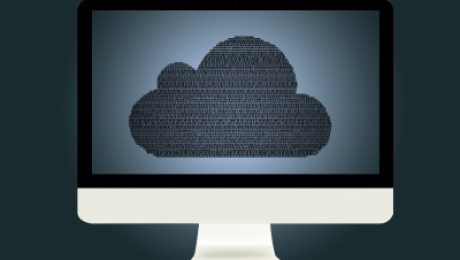
The cloud icon has been used to symbolize a larger, connected network in technology diagrams for at least 30 years, so it’s not hard to imagine how the concept has migrated to its modern context: a collection of inter-connected computing and storage resources that can be shared amongst multiple services that can scale up and down as needed. If you are of a generation that recalls mainframes, mini-computers and batch runs (today’s PC is actually a “micro-computer” in the vernacular of the mainframe age), it’s a similar concept, except that instead of a single, gigantic device, the mainframe is now an array of CPU’s, storage devices and network interfaces spread across multiple locations and interconnected by the internet. If your understanding is still amorphous, you have creeping semantics to blame for that as well – the term “cloud” has become synonymous for internet-based resources, which can lead to plenty of confusion and debate about privacy, resilience and security.
Clear skies or storm warning ahead?
Just as being able to tell the difference between thunderheads and fluffy cumulonimbus can help us make decisions about grabbing the umbrella or sunglasses, understanding what is “cloud-based” or “hosted” or “virtualized” (or all three) can help you make informed decisions about what services and resources you utilize for your organization’s technology needs. As “cloud-based” has become something of a marketing hobby-horse that is frequently used out of context, it may be very hard to understand how the “cloud” comes into play in any given offering, if at all. If the “cloud” is mentioned to denote omnipresent resources or availability, it may be worth investigating whether this claim has any substance. Is the company or service in question making use of Amazon’s Web Services or Microsoft’s Azure platform? Those are examples of true cloud-computing platforms – very large endeavors and companies use services like these to power their own services and apps. Is your website or email “in the cloud” or is it “hosted”? For casual conversation, it doesn’t really matter (what matters is you don’t have a server on premise to manage anymore!), but it may be important make that distinction when it comes to evaluating your own organization’s technology security and resilience, especially if you are required to maintain compliance with industry regulations or federal laws.
Image courtesy of Vichaya Kiatying-Angsulee at FreeDigitalPhotos.net

In the latest dramatic chapter of the ongoing encryption battle between the FBI and Apple, the feds have admitted that they worsened their chances of ever finding out the contents of the San Bernardino shooter’s iPhone when they reset its associated iCloud password in a misguided attempt to access the locked device. According to Apple, prior to that reset, the FBI may have been able to gain access to the device without Apple having to provide a controversial backdoor to its otherwise very secure smartphones. On top of the FBI’s blunder and lack of understanding of Apple’s iPhone security, it’s also clear that several members of the House Judiciary Committee leading the hearings on this controversy are also poorly versed in how smartphone security works. To be fair to everyone, Apple’s iCloud system is arcane even to me, so it’s easy to see how someone unfamiliar with the system could make this mistake.
What this means for you:
Making fun of government officials being ignorant about high tech subjects is like shooting fish in a barrel. The “series of tubes” analogy used by Senator Ted Stevens is just one of many examples of US lawmakers struggling to understand admittedly complex technologies like the internet and encryption. Back then (10 years ago!) it might have been acceptable to dismiss their technology naivety as understandable – after all they are congress people, not IT consultants. But now, in an increasingly technology-permeated society, their ignorance or willful disregard of technology can lead to very bad decisions that have widespread and long-lasting consequences. This is just as applicable to your personal and workplace tech. While it’s impossible to be an expert on everything, if you rely on technology for critical business operations, you should have more than a basic understanding of how to turn it on and off. At minimum you should know what risks come with that technology, and if you cannot claim to be an expert in the technology in question, you should always consult with an experienced technology professional before making game-changing decisions.
Image courtesy of Stuart Miles at FreeDigitalPhotos.net

Apple made a big splash last week when CEO Tim Cook published an open letter in response to the FBI’s request and subsequent court order to hack the iPhone of the primary assailant in December 2015’s San Bernadino mass shooting. As one might expect, Mr. Cook basically told the government that they would not comply, and fortunately, they might be the one company that could afford to fight this battle in the courts. Though the tech industry has typically maintained a similar stance on device encryption, even the most staunch champions of digital privacy such as Google and Twitter have had suprisingly muted responses to the growing battle. Also revealing is a recent Pew poll that suggests while the tech industry may be largely united on device encryption and government backdoors, the American public isn’t quite sure what to think about this complex issue.
What this means for you:
Late model iPhones ship with encryption enabled by default, and as long as you enable some form of authentication on your device, the data on that device will only be accessible if you unlock it. Law enforcement can’t break the encryption, and Apple, by it’s own admission, cannot decrypt your phone’s contents with out the proper authentication, even if the phone owner asks them to do so. If someone tries too many times to guess your pin, the device will be automatically wiped – no intervention from Apple or your carrier is required. The FBI is demanding Apple create a way for them to unlock the iPhone of the San Bernadino shooter, which if Apple were to actually accomplish such a feat, could theoretically allow anyone with possession of this backdoor to decrypt any iPhone protected by similar technology. Like the atomic bomb, the development of this backdoor cannot be unmade, nor will it remain only in the hands of the “righteous”. While the data on the SB shooter’s phone may prove useful in providing some closure to the incident and may even help further other domestic terror investigations, it’s easy to see that the FBI means for this case to set a precedent that will give them unfettered access to an area that has traditionally been protected, both by law and by technology.