


Everyone I know that uses an iPhone has told me that Siri is, at best, a fun party trick, and at worst, completely useless. If you were sold on your latest iPhone by the promises Zooey Deschanel or Martin Scorsese failed to deliver, then you may find solace in a competitive offering from Google. Voice search is now embedded in Google’s recently updated and free iOS search app, allowing you to ask natural language questions and (hopefully) receive audible answers powered by Google’s vast databases.
What this means for you:
If you are one of those people who don’t mind addressing their smartphones like they were animate objects, (you know who you are!) then this app is worth a try. Android users with the Jelly Bean operating system on their devices (Nexus users and some specific late-model Android phones) have been enjoying Google’s voice-driven search capabilities for several months, with generally favorable reviews as compared to Apple’s Siri. It’s free – all you have to lose is some time (and possibly your dignity).

Normally, New Jersey and Manhattan datacenters don’t have to worry about floods, but Hurricane Sandy quickly overwhelmed many major providers like Internap and Peer 1 who provide service across the country. While most of their electronics were relatively safe from the torrential rains and high winds, water will – given time and opportunity – get into everything, and thousands of buildings in the area experienced severe flooding in basements and even ground-floor spaces. “Surely they don’t keep their electronics down in the basement!” I can hear you exclaim, and they don’t, but what is down there are generators and fuel pumps for those generators, because that’s where most buildings put their big, noisy mechanical equipment. Power outages don’t stop big datacenters – they’re designed to last for hours, even days without power – but those generators need fuel and air. When they are under 5 feet of water, both are going to be in short supply.
What this means for you:
When doing your disaster preparedness and continuity planning (you do have a DR/BC Plan, right?) you need to assess all vendors that provide services you would consider critical to your core business processes, particularly the ones that service your customers, such as website or application hosts, or even your own employees such as outsourced payroll services. If you are using providers that have weak, or even incomplete DR/BC plans of their own, you may want to change providers, or, at minimum, compartmentalize your own business processes so that your company isn’t completely crippled by a weak point in your service supply chain.
Image courtesy of “winnond” / FreeDigitalPhotos.net

On October 26 of last week, a number of popular, “cloud-based” services suffered multi-hour interruptions. Among the outages was Google’s App Engine, a platform that is used by thousands of other websites and internet platforms including one of my favorites, Passpack.com. Some of your favorites may have been impacted as well: Dropbox, Tumblr and even YouTube were affected. For many, this was a non-event, particularly those who operate and compute within enterprise-based platforms, or rely solely on the desktop and storage of their own computers. C2 Technology relies heavily on cloud-based services, primarily Google products, for our core information systems, and I use Passpack to track the multitude of passwords I need to do my work. So when those outages hit on the 26th, I found myself unable to access the keys to my various digital kingdoms, and felt very much like someone who finds themselves locked out of their car, and at the mercy of another person’s timetable. In this particular case, Passpack.com wasn’t even to blame, as their own reliance on Google’s App Engine service hamstrung their ability to deliver service to their customers, and the fine engineers at Google themselves were struggling with the outage. Everyone’s brand took a hit, and yet there was no one any one of us could blame for the outage – not even a radical hackivist group looking to ruin someone’s day for political currency.
What this means for you:
Very simply, “Never put all your eggs into one basket.” This homily, however pastoral-seeming, still very much applies to how you should use technology, especially when it comes to your core business processes. As an illustration of how this can be bad: I was using Passpack to store my Gmail password, which was complicated and impossible to remember, and instead relying on a complicated, but easier-to-remember passphrase to access Passpack to retrieve that password whenever I needed it. When Passpack went down, so did my ability to access Gmail and all of my client contact information. The lesson to take away from this: if you are going to store critical information online, have a back-up plan for continuing to operate without access to that information. Either back-it up locally (fraught with its own set of risks), or compartmentalize parts of your operations so that they aren’t heavily reliant on a single service provider, or the presence of the internet.
Image courtesy of “vichie81” / FreeDigitalPhotos.net

Just a week after the debut of Windows 8, Microsoft held a press event in San Francisco, CA to announce the arrival of the latest version of its smartphone platform, dubbed Windows Phone 8. Timed to coincide with (and possibly to even eclipse) Google’s canceled East-coast press event, Microsoft instead had to fight for media attention with Hurricane Sandy. As a distant fourth place competitor, Microsoft has struggled to gain a toe hold in the smartphone race, facing daunting leads from Apple and Google, and even trailing the flagging RIM Blackberry platform.
What this means for you:
Unless you are a true-blue Microsoft fanatic, you more than likely already own a smartphone that gets the job done. There is a distinct possibility for Microsoft to overtake RIM’s Blackberry platform as the corporate phone of choice, but many enterprises have already opened their iron curtains for iPhones and Android devices. Gaining RIM’s share of the pie will only put them in 3rd place, and as such, integration into corporate environments will still take a backseat to solidifying usage of the dominant platforms. Most adopters of this platform will either be disatisfied technophiles looking for something fresh and different from iOS and Android, or corporate technologists investigating the platforms ability to integrate with existing Microsoft infrastructure. Microsoft’s primary hurdle in getting people to buy Windows phone remains in the lackluster app development landscape, which continues to be dominated by iPhone. Many of the most popular apps aren’t available yet for Windows Phone 8, and their arrival (if they come at all) will likely lag iOS and Android versions by months. If your primary smartphone usage is focused on making calls, checking email, and sharing pictures with your phone, Windows Phone 8 will get the job done, but if you like apps and don’t consider yourself an “early adopter”, give the platform at least another 6 months before weighing a change in platforms.

As anticipated, Apple announced the much-rumoured iPad Mini in a press conference on Tuesday in San Jose, CA. Measuring 7.9″ diagonally, the new tablet is just slightly larger than Amazon’s Kindle Fire, Google’s Nexus 7 and several other Android-based models that have preceded the Mini by as much as a year. Former CEO Steve Jobs was known for his contempt of the 7″ form-factor, but as Apple’s dominance of the tablet space has eroded over the past year, the Cupertino technology company has decided to field a 7″ horse in the race in an attempt to regain some lost ground. Wall Street, however voted its ambivalence to the move by selling off Apple shares moments after the announcement, dropping shares by as much as $20 in the days trading, citing the Mini as evidence that Apple has lost sight of what people really want, which is less choices, not more. Shareholders may have also been disgruntled by the announcement of a new revision of the latest iPad model featuring the new, compact data connector and a faster processor, “obsoleting” it’s 3rd generation iPad after only 7 months.
What this means for you:
If you’ve held out this long on buying an iPad, it probably wasn’t because it was “too big.” Most folks who did think the 10″ iPad was too big have already bought a 7″ Kindle, Fire or Android-based tablet and are more than likely firmly embedded in that devices ecosystem. Many tech-heavy households are also likely to have an iPad as well, so adding another tablet to the mix is probably not in the cards for the majority of consumers. Corporate buyers who were already reluctant to invest in iPads aren’t any more likely to buy a 7″ version, and instead will be watching the arrival of Microsoft’s Surface tablet very closely, as should you if you’ve not already made your tablet investment. If, somehow, you’ve managed to not buy any sort of tablet device, and find your smartphone is just a bit too small for reading or casual video watching, the iPad Mini may be a gentle gateway into the world of tablet computing. The 7″ form-factor is very portable and bag friendly, and big enough for personal entertainment, especially in crowded places such as planes, buses and the backseats of cars. Keep in mind: if you are used to the weight of the black and white Kindles that Apple’s new Mini is heavier, not only physically, but will also weigh twice as much on your wallet.

Now that the public’s overall awareness of phishing is much greater, getting people to click phony links in an email isn’t as easy as it used to be. However, phishers, now motivated (and possibly funded) by organized criminal elements, are investing more time in actually fooling people, producing very authentic-looking emails intended for audiences with accounts worth compromising, such as the ones that control payroll or bank accounts for small companies. A recent phishing campaign dissected by Webroot details a focused targeting of Intuit’s popular Quickbooks platform. Using a combination of scare tactics, actual Intuit branding and realistic-sounding text, actual Quickbooks users may be lulled into a false sense of security and click through to malware-laden sites which quickly compromise their computers.
What this means for you:
Whenever you receive a request from a known service provider via email, always, ALWAYS! check the integrity of the links they ask you to click, especially if the communication wasn’t expected. How do you check the links in an email? Read my previous post “Ransomware Virus Targets Skype Users” for details on how to check if the links are valid. Even if the email seems to be legitimate, skip clicking the links altogether and go straight the the website in question by typing in the URL yourself, or pick up the phone to call the company. Your computer and financial security are worth a few more minutes and keystrokes!

The Windows 8 RTM (Release to Manufacturer) build has been available to technology professionals now for several weeks, and I recently took the plunge by installing it on my Dell Inspiron 1500 laptop. Even though my Inspiron was sold as a “Windows 8-ready” laptop, it definitely wasn’t ready for the RTM build. Despite repeated attempts to upgrade the existing Windows 7 installation (a path most folks will likely take), I ended up wiping out the entire OS and installed Windows 8 from scratch.
First, say something positive…
First impressions are important, and let me tell you, the new Windows 8 user interface is eye-popping and unlike anything you’ve seen on a desktop OS. Versions of this UI have been evolving on Windows Phones, the Xbox 360 and the Zune for months, and the designers behind the look of the OS have clearly been working very hard, and to great effect. The Windows 8 interface is a stark contrast to the shiny, chromed look of Windows 7 or OS X, using bold colors and geometric shapes in what they are calling a “tile” based interface.

It’s engaging, intuitive, and not as huge a paradigm shift in how we work as you might think. On the whole, the new OS ran as fast or faster than the previous install of Windows 7, and even though my laptop did not have a touch-enabled screen, I was able to navigate around the new interface comfortably after spending a few hours familiarizing myself without how it works.
…There’s a “but” and it’s a big one.
If Windows 8 blows your mind with its look and feel out of the gate, be prepared to have some of that wind sucked right back out of your sails. Windows 8 maybe ready for its close-up, but the rest of the world isn’t quite ready for it. Knowing this, Microsoft actually did the only thing it could do: incorporate large chunks of Windows 7 into 8 so as to maintain backwards compatibility with its gigantic (and predominantly slow-to-change) user base. This “layering” of two different OS’s will be a tremendous struggle for the average user, and it’s even a bit of a headache for seasoned technology professionals. In a nutshell, either your applications are designed for and run in Windows 8, or they run in the “desktop” layer, which is essentially a stripped down version of Windows 7. Some of them, like Google’s Chrome or even Microsoft’s own Internet Explorer, run in both environments, but they don’t use the same settings, nor do they communicate with each other! Say, for example, you have Chrome open in the desktop environment. Windows 8 alerts you via audible beep that new email has come in on your Hotmail account (which has it’s own app in Windows 8), so you punch the Windows key on your keyboard to bring up the tile interface. After reading the email, you punch the “Chrome” tile on the start page, thinking to go back to your surfing session in Chrome. Nope, that tile opens the Windows 8 version of Chrome with a blank window. To get back to your desktop session, you have to Alt-tab to the other Chrome window. As you can imagine, this will continue to be confusing until the majority of your applications live entirely in the Windows 8 world, and the desktop environment fades into memory.
What this means for you:
Unless you have a compelling reason to do so, avoid installing Windows 8 on any work computer for the time being, as at minimum you’ll be frustrated and slowed down by the awkward transition phase the new OS will be going through for the next 12-18 months. When ordering new machines, make sure (if the option is even available) to “downgrade” the installed OS to Windows 7. If you really want to try out the new Windows 8, think about purchasing a Surface tablet (arriving later this month) or installing it on a non-essential computer so you can take your time to learn the new OS without hampering your ability to get work done. If you really want to take the plunge, make sure your critical business applications and platforms can work with the new OS, and be prepared for a period of reduced productivity as you and your employees adjust to the new OS.

Have you ever opened up Facebook and noticed an ad popping up on the right hand side that seems to be eerily similar to something you were looking at/shopping for on a completely different website? Fortunately (or unfortunately, depending on how you look at it), Facebook isn’t reading your mind – instead it’s reading your browser history for behavior that aligns with one of the thousands of different ads it offers on its new Facebook Exchange (FBX) advertising platform. This particular method is called “retargeting” and is similar to technologies used by Google and Yahoo in their ubiquitous ad platforms.
Prior to the launch of FBX, Facebook sold ads based upon its extensive demographic database – advertisers could target their ads across dozens of traits including geography, age, sex, marital-status, etc. – all based upon the data that it’s 1 billion users freely share with the service in their quest to stay connected with friends and family. This method allowed Facebook to generate nearly $5 billion in ad revenue a year, but since the launch of FBX and the use of retargeting, Facebook’s new shareholders have at least one piece of good news: FBX retargeting ads are proving to be much more effective that ads sold around all the demographic data it’s been gathering for years, which means that advertisers can expect to start paying a lot more for those clicks.
What this means for you:
Let’s face it: internet advertisements are here to stay, especially since people like getting things for “free.” The savvy among you know that nothing in life is ever free, and obviously we pay for these free services with our eyeballs, and on occasion, our patronage of an advertiser. As the folks at Facebook, Google and Yahoo continue to improve the accuraccy of their advertising platforms, you can count on ads will becoming so finely tuned to their viewers, it will be like the internet was a window on our heart’s very own desires. There are add-ons you can install in Firefox and Chrome (check out the ever-popular AdBlock Plus) that will block/hide advertisements, but as websites become increasingly dependent on advertising revenue to continue delivering “free” services they will continue to find ways to make viewing advertising unavoidable. In some cases, using an adblocker will make some sites completely unusable without a lot of fiddling with settings and whitelists. If you insist on drawing a hard line in the sand about being targeted, disabling cookies will go a long way to making it impossible for sites like Facebook to track your browsing behaviors, but it will also make surfing the web a constant barrage of password prompts, preference setting and other annoyances that cookies made bearable. You can also look at services like PrivacyFix which can help you understand and control the privacy settings for the more popular sites that track your browsing history.

Numerous leaks on the internet have all but confirmed the imminent arrival of a 7-inch version of Apple’s wildly popular iPad. Expected to be announced on October 23, 2012, sightings around the internet put the new tablet starting at anywhere from $250 to $320 for a wifi-only version. Substantial rumors also point to a 3G/4G version as well, putting it an advantage over wifi-only, 7-inch Android-based tablets like Google’s Nexus 7 and Amazon’s Kindle Fire.
What this means for you:
If you are one of the few people on the planet that doesn’t already own an iPad, and don’t because of the size/weight of the current 10-inch tablet, the “iPad Mini” may be worth a look. However, 7-inch screens have many limitations when it comes to browsing the web and working in business applications – your screen real estate is literally half of what you can normally see on even the first generation iPad. Seven-inch tablets have found a very comfortable niche as e-readers, casual gaming devices, and fit remarkably well into over-stuffed carryons for frequent travelers. Expect some transition troubles for your popular iPad apps as they resize the display resolution for the 7-inch screen, and the possibility of paying for a new, “mini”-version of the same app you probably already own.
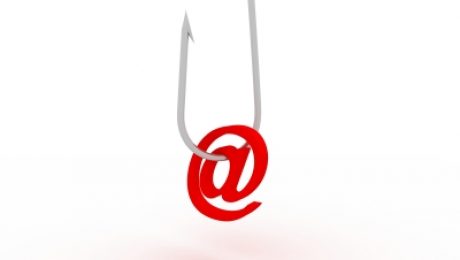
Security analysts are uncovering a troubling rise in sophistication and cunning in targeted phishing attempts – also known as “spear phishing” – where attackers are actually adapting their tactics to exploit weaknesses revealed in common business worker behavior. Most obvious and easy to exploit is the fact that many businesses “shut down” on Fridays, and most workers, including corporate IT, disengage from the job and stop reading emails. Attackers savvy to this behavior trend send out the usual phishing emails with URL’s that are actually clean at the time of delivery, allowing them to arrive in user inboxes unmolested by corporate malware detection platforms. The attacker bides his time and waits to compromise the websites that were linked in the phishing emails until the last moment, say early Monday morning, hopefully just before users start to read the email that arrived over the weekend. Because the email managed to make it past corporate filters, the user wrongly assumes it’s safe, clicks the URL and his or her computer is then compromised through the usual malware attacks.
What this means for you:
Phishing emails are becoming increasingly harder to distinguish from the real thing, and it takes a trained eye to spot the best fakes. The most common phishing tactics are to email you about the following:
- Your account has been accessed by a third party
- (Bank Name) Internet Banking Customer Service Message
- Security Measures
- Verify your activity
- Account security Notification
When you receive an email like the above, and it appears to have come from a company or institution with which you work, examine the source of the email carefully to make sure the links actually go where they say they go. (See our previous news item Ransomware Targets Skype Users for more tips on how to tell if an email is legitimate or not.) If there’s any doubt at all, don’t use the links provided, but type them in or use a bookmark you created to ensure you are going to the proper website, or call a known, publicly-available phone number for the company to verify the request with a real human.
Image courtesy of David Castillo Dominici / FreeDigitalPhotos.net