


Many businesses, when trying to get their processes in order, debate whether using Microsoft 365 or Google Workspace would work best for their needs. Although the business world tends to “expect” Microsoft applications, there are those who fully utilize Google.
Here’s the honest truth: both platforms are good. Both will handle your email, calendar, file storage, and collaboration needs. Both have gotten dramatically better in the past few years. And both will cost you roughly the same amount of money. So if you’re expecting me to tell you that one is objectively superior to the other, you’re going to be disappointed.
What I can tell you is which one works better for the specific ways that accounting firms, law offices, and property management companies actually work.
Where Microsoft 365 Wins
For law firms specifically, Microsoft 365 is usually the better choice, and the reason comes down to two things: document formatting and industry expectations.
Legal documents require precise formatting. Numbered paragraphs, specific indentation, complex tables, cross-references, and redlining that tracks every change made by every attorney who touches a document. Microsoft Word is still the gold standard for this kind of work. Google Docs has gotten better, but it’s still not quite there for complex legal documents. According to ABA’s 2024 Legal Technology Survey, 94% of law firms still use Microsoft Word as their primary document creation tool.
The second issue is client expectations. When you send a legal document to a client or opposing counsel, they expect to receive a .docx file. They expect to be able to open it in Word, make their comments using Word’s track changes feature, and send it back. You can absolutely do this workflow with Google Workspace, but it creates friction. You’re constantly converting files, worrying about whether formatting survived the conversion, and explaining to clients why your documents look slightly different.
Microsoft 365 also integrates better with practice management software that law firms use. Most legal-specific software was built with Microsoft in mind. The integrations are tighter, the compatibility is better, and you spend less time fighting with your tools.
Where Google Workspace Makes Sense
That said, Google Workspace isn’t a bad choice, and for some firms it’s actually the better option. If your firm is smaller, more nimble, and doesn’t have decades of document templates built in Microsoft Word, Google Workspace can be easier to manage and more intuitive for people who aren’t deeply technical.
Google Workspace setup is simpler than Microsoft 365 deployment. There are fewer moving parts, fewer configuration options, and less that can go wrong. For a 5-person law office that just needs email, calendars, and basic document collaboration, Google Workspace gets you up and running faster with less complexity.
Google’s collaboration features are also more intuitive. Multiple people can edit a document simultaneously, and it just works. With Microsoft 365, you can do the same thing, but it requires OneDrive and specific versions of Office apps, and there’s more that can go sideways.
The Real Cost Comparison
Price-wise, they’re comparable. Microsoft 365 Business Standard runs about $12.50 per user per month. Google Workspace Business Standard is $12 per user per month. You’re not making this decision based on a 50-cent difference. The real costs come from cloud migration support, training your staff, and potential productivity loss during the transition.
According to Forrester’s Total Economic Impact study, organizations switching platforms experience an average productivity dip of 15-20% for the first 2-3 months while people adjust. That’s the real cost you need to factor in. If you’ve been using Microsoft for 20 years, switching to Google isn’t just a technology change, it’s a workflow change.
What About Hybrid Approaches?
Some firms try to split the difference by using Gmail with Microsoft Office apps. This mostly works, but it creates its own complications. You lose some of the tight integration between email and calendar. File storage gets confusing when people aren’t sure whether to save things in Google Drive or OneDrive. And you’re paying for redundant services.
I generally don’t recommend hybrid approaches unless you have a specific technical reason that requires it. Pick one platform and commit to it fully. Your people will be happier, your IT management will be simpler, and you’ll spend less time troubleshooting weird compatibility issues.
Making the Decision
For most law firms and accounting practices I work with, Microsoft 365 is the right choice. The document compatibility, the industry standard status, and the integration with other professional services software outweigh the slightly steeper learning curve and more complex administration.
But if you’re a smaller firm, if you don’t have complex document formatting needs, or if you value simplicity over feature depth, Google Workspace is a perfectly viable option. The key is making the decision based on your actual workflow, not on what some article on the internet told you was “better.”
Quick and Easy
For law firms and accounting practices, Microsoft 365 is usually the better choice due to document formatting requirements and industry standard expectations. Google Workspace works well for smaller firms prioritizing simplicity, but both platforms require careful cloud migration support and training to avoid productivity loss.

You probably already knew this: YouTube is the second most visited website on the internet. In obvious first place is Google.com which also happens to be the parent/sister company of the world’s biggest video streaming site. YouTube has over 800 million videos (and growing) and gets over 17 billion visits per month (source), so saying they make a lot of money on that website off your eyeballs is putting it very mildly. The secret sauce, of course, is the algorithm that keeping must-see videos constantly into your viewing experience, and because it’s Google-powered, you can bet those engineers know exactly how build a data-driven, personalized algorithm that knows exactly what you want to see. Or does it?
One Algorithm to rule them all?
Based on the platform’s success and profitability it’s pretty clear that this algorithm is doing something right, but there is still plenty of criticism and scrutiny on YouTube’s content selection, especially in light of continuing misinformation problems plaguing all social media platforms. If you are a user of YouTube (statistically likely!) you are probably already familiar with the various tools you can use to supposedly tailor YouTube’s algorithm to only provide content aligned with your interests. There are even buttons to dislike, remove from recommendations, or report as misinformation, but according to research done by Mozilla Foundation (full disclosure: a non-profit research and advocacy organization that is funded by Firefox money and search engine royalties from Google, etc.), these buttons are essentially ineffective. My takeaway? YouTube is using the age-old marketing trick in offering the illusion of control, while still driving traffic to the videos and trends that make them the most money. The article is lengthy, but Mozilla helpfully provides an infographic summary that is a bit easier to digest and leads to the true reason they published these findings. In the end, Mozilla is an activist organization attempting to drill some transparency into the biggest content platforms. The only way this is going to happen is if enough people step up and ask for change. You don’t have to stop using YouTube, but recognizing their placebo controls might give you better insight into why true control over your feed feels elusive.
Image by Pablo Jimeno from Pixabay

You may not realize it, but your organization is probably using one or more free email accounts from platforms like Google and Microsoft. Smaller companies may still be using them as their primary email accounts (let’s talk – you need to stop doing that!), but most have moved up to what we call “enterprise-grade” versions from the same providers. Despite upgrading their email to the more secure, paid services, many companies opt to continue using free-mail accounts for various applications like email copier scanning, Quickbooks invoicing, and automation systems that send out email alerts. In the case of the latter two, not having this functionality could result in some pain or even safety concerns.
What did you do, Google?
I looked back at my long-standing free Gmail account to see if Google sent any notifications out about this change. I don’t see anything in an email, but it’s likely they posted on-screen notices in their webmail interface, which I rarely see as I use Outlook or my phone to view email for this particular account, so I’m going to say this was a stealth change. What changed? They removed the “less secure apps” feature on May 30th of this year. Unless you are a Gmail aficionado or in IT, you probably aren’t going to know what this does, or how it impacts you now that it’s gone. In a nutshell, it allowed you to use your Gmail account with applications that Google considers “less secure” – including Outlook (a little rivalry shade or legit concern?) and more importantly, any device or service that uses SMTP delivery to send emails via their servers, such as your multi-function copier when you scan to email, or your building automation alarms that send emails to engineers or security that there is a leak or a door propped open. If you suddenly find that something that was previously Gmail-powered has stopped sending emails, it’s probably because you were using the less secure apps feature to do so.
How do you fix this?
Unfortunately, it’s not as simple as turning that feature back on – Google has removed it completely. Now you will have to set up an “app password” for your service or function to use. As the name would imply, app passwords are passwords that are set up for a specific application and only that application. You can have multiple app passwords for your email account, and they aren’t recoverable or resettable if you happen to lose them. That’s OK because they can be re-created easily and without additional cost (except for your time) as long as you can log into your Gmail account using your main password. However, in order to enable the app password feature, you have to set up 2-Factor Authentication for your account, and before you think of jumping ship to Microsoft’s Outlook.com free-mail service, they are doing the same thing – requiring 2-factor authentication before you can set up app-specific passwords. You can thank the hackers and spammers for this – they have been abusing free-mail accounts for years and finally the big boys are doing something about it by locking down exploited features of free-mail accounts, but rest unassured – this will only slow them down, and create minor headaches for everyone else. Get used to it – two factor isn’t going away anytime soon.

Full disclosure – I’ve long been a fan of many of Google’s services. I’ve used Gmail since the first beta, rely on Google search all day long, use a Pixel as my smartphone and listen to music all day long through their music service. It pains me when my favorite tech brands make poor choices, and unfortunately, Googles leadership seem to have forgotten their founders original scree, “Don’t be evil,” in favor of behaving like any profit-driven, ethically-ambiguous megacorp. The latest scandal comes from one of Google’s recent tech acquisitions in the form of a failure to disclose the presence of microphones in the Nest Secure home devices. Now, the presence of microphones in security devices shouldn’t come as a surprise, but Google’s failure to mention it in any documentation is a glaring breach of trust on their part.
What this means for you
When I first heard this news, I though to myself, “Well duh, of course these things have microphones. They are security monitoring devices,” and thought that, once again, naive consumers were purchasing and installing the devices without RTFM (“reading the fine manual” except substitute your own f-word). But no, Google (and Nest) didn’t actually document the presence of a microphone at all until it recently revealed that the Google Assistant technology could now be used on the Nest Secure device which, oh by the way, uses voice control…which, erm, requires a microphone…that is already on the device. According to Google, the microphone was disabled by default and can only be activated when the user specifically enables it. Which doesn’t make the whole failure to disclose any better, because how do we know it wasn’t enabled, and why should we trust them to be telling the truth now?
Unfortunately for you, even if you were being a careful consumer and reading the fine manual (or label, or reviews, etc.) the only way you would have known there was a microphone in the device would have been to dismantle it yourself, but why would you do that because the product documentation clearly lists the device’s specs, doesn’t it? Does this sound familiar? Like some other technology megacorp abusing its users’ trust? Is it going to take dragging these companies in front of Congress to get them stop being so lackadaisical with our privacy? Well, before we do that, let’s make sure we elect Congress critters that know iPhones aren’t made by Google.

A lot of my friends and colleagues are always surprised that I don’t have more gadgets around my house, especially items like Amazon’s Alexa or Google Home, seeing as I am a long-time customer of both mega-companies and utilize many of their services on a daily basis. Those of you who have been paying attention know that I’m pretty keen on privacy, and have also seen me write on the topic time and time again, mostly because companies like the aforementioned sometimes have trouble respecting our right to privacy. It’s not that I have something to hide, it’s that I am very specific about what I want to share, and that does not include sharing private family conversations with a work acquaintance, which seems to be what happened to a Seattle couple via their Amazon Echo device.
Entre nous becomes menage a trois
What many fail to truly understand is that in order for any voice-activated device to work, it must always be listening to everyone nearby, waiting for its moment to shine. In the case of the incident mentioned above, the Echo device thought it heard its vocal trigger, “Alexa” (or something phonetically similar) woke up, heard another trigger, “Send a message,” which caused to start recording what it thought was a legitimate message, which it then dutifully sent on to the unintended recipient. The couple had no idea their conversation was recorded and were only clued in when the unintentional eavesdropper called them to warn them about the incident.
How many times has your phone (iPhone or Android) self-activated because it thought it heard its vocal cue? Mine does this about 2-3 times a month, mainly because it hears (or thinks it hears) me saying “OK” and “Google” all the time, when in fact, I’m just having a conversation with someone nearby. It’s even self-activated because of audio from a podcast or song, which is really weird and creepy sometimes. Hackers have demonstrated the ability to completely compromise late model devices, and it’s a known intelligence exploit to compromise surveillance subject phones explicitly for the purposes of turning on the microphone as the ultimate audio bug. We carry these devices everywhere, and now they are in our most private spaces. It’s just you and me, and the internet now.

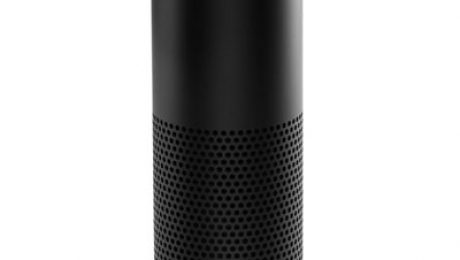
For those of you who haven’t seen the Amazon Echo in action yet, it can be quite an eye opener. We are quickly converging on an environment that was not long ago considered science fiction. The Echo can quietly sit in the corner of your room, waiting for anyone in the family to give it a command, whether it’s to play some music, check the weather or order something from (surprise surprise!) Amazon. It’s also a perfect example of technology racing ahead of the law, and unlike the ongoing controversy around email and ECPA, the stakes are much higher because of who is allegedly at risk: our children. I’ll admit that this may seem a bit melodramatic, but the Guardian US isn’t wrong when pointing out that Echo and other products like it (think Apple’s Siri and Google Now) might actually be in violation of COPPA. For those of you in the room who are not lawyers, this is the Children’s Online Privacy & Protection Act of 1998 which, among many things, prohibits the recording and storage of a child’s voice without explicit permission of their parents or legal guardian.
What this means for you:
Even though I am a parent of young child for whom COPPA was enacted to protect, it hasn’t been too hard to suppress the urge to disconnect and discard every voice-activated, internet-connected device we own (which would be quite a few, including my daughter’s precious iPad). As with many technology items that dance on the edge of privacy invasion, I weigh the convenience and value they bring against the loss of privacy and security they inherently pose. I do see the problems technology like this presents: thousands (possibly millions) of parents set down products like Echo and Siri right in front of their children precisely because using them is simple and intuitive, and in the case of Echo, they are actually designed for use by everyone in the family. However, most people probably don’t realize that today’s voice recognition technology relies on pushing recordings of voice commands to the cloud where they are cataloged and processed to improve algorithms. Not only do those recordings store our children’s voices, they are also thick with meta data like marketing preferences, “Alexa, how much does that toy cost?” and location data, “Alexa, where is the nearest ice cream shop?” I’m pretty sure none of us gave explicit permission to Apple before allowing our kids to use Siri on their iPads and iPhones. If you were to adhere to a strict interpretation of COPPA, Apple, Amazon and Google (as well as many others) have an FTC violation on their hands that could cost them as much as $16,000 per incident.
As for your Echo (or smartphone or tablet) – only you should judge whether it’s an actual risk to your child. For the moment, the law is unclear, and knowing our government, likely to remain so long after the buying public makes up its own mind.

For those of us old enough to remember the cartoon, I’m willing to bet that at least a few of us are still holding out hope for a Jetson’s future, complete with personal jetpacks, flying cars and fully automated homes. We’re getting closer on the car and jetpack thing, but it seems we have some way to go on the home automation, despite it being around in some form for decades now. Samsung’s SmartThings platform has been around for a few years now and the continuing permeation of mobile devices across all aspects of our daily lives has led to some amazingly convenient but woefully insecure home automation systems. Researchers at University of Michigan have demonstrated several security vulnerabilities in internet-connected door locks, fire alarms and lighting systems to name a few. At the moment, using the Internet of Things to upgrade your home may actually downgrade your security.
What this means for you:
Despite the technology being available for several years, most Americans have only just begun to discover a small glimmer of a Jetson-esque future. This is due to a combination of factors that include price, complexity and a (justifiable) lack of trust in remote control devices to secure their most prized (and pricey) investments. Even Silicon Valley darling Nest (now owned by Alphabet née Google) suffered multiple PR setbacks via highly-publicized bugs, failed hardware and canceled products. As such, these products and others like Samsung’s SmartThings are only just starting to realize enough critical mass in the market to capture the attention of security researchers. For now, the University of Michigan researchers are cautioning against using the SmartThings platform wherever security is a paramount concern. I don’t know about you, but as far as this homeowner and business-owner is concerned, my house and office can stay dumb for the moment. I already have problems with phones that are too smart for their own good.
Image courtesy of Stuart Miles at FreeDigitalPhotos.net

Apple is infamous for it’s stringent and sometimes odd vetting process for iOS apps, but it has purportedly kept iPhone and iPad users relatively safe from the malware that has plagued the Android ecosystem for years. Unfortunately, they can no longer wear that badge with pride anymore, as dozens (possibly hundreds) of apps written by Chinese developers and distributed through the official Apple App Store have been found to be infected with malware that can cause serious security problems for the affected device. Before you get up in arms about the brazen escalation of Sino-American cyber-hostilities, security analysts believe that the infected apps weren’t purposefully compromised, but were caused by Chinese app developers using an infected version of Apple’s coding framework, Xcode to build or update their apps. These apps were then submitted and, upon passing through Apple’s security screening, distributed in both the Chinese and American App Stores to upwards of hundreds of millions of users.
What this means for you:
Unless you make a habit of installing Chinese iOS apps you probably aren’t directly affected by this. Check this list, and if you did install one of the affected apps remove it or update it immediately, and change your Apple Cloud password and any other passwords you might have used while the infected app was installed on your device. For the rest of us that aren’t impacted, this particular failure illustrates two important points about security:
- No security system or process is infalliable. Apple’s fall from grace in this regard was only a matter of time. Every good security plan should include a failure contingency. In Apple’s case, they know exactly who installed what apps and plan to notify all affected customers.
- The use of the compromised Xcode framework was traced to many developers using a non-official download source to retrieve the code, which is very large (3gb) and is very to slow to download in China from Apple’s servers. Rather than being patient/diligent, Chinese programmers used local, unofficial repositories hosting malware infected versions of Xcode. Always confirm your source (whether reading email or downloading software) before clicking that link!

Under the auspice of saving battery life on laptops, Google just made good on their promise in June of this year to pause Flash elements on webpages loaded in their browser, Chrome. Though they don’t outright name what elements they are targeting *cough* advertising *cough*, as of September 1, Chrome will, by default, no longer autoplay Flash-based media on any page. If you want to punch that monkey to win a prize, you will have to click on the advertisement to get it to dance around on your screen. Now before you break out the champagne, this certainly doesn’t mean the end of web advertising by any stretch of the imagination – many of the ads you see are HTML5-based (including Google’s own AdWords platform) – but seeing as Chrome has 50% of the browser marketshare, it’s a safe bet that many, many advertisers will stop using Flash as a delivery mechanism, and given Flash’s long history of security weaknesses, this is a good thing.
What this means for you:
If you’re using Chrome as your main web browser, make sure it’s updated to the latest version, and start breathing the Flash-paused air. Firefox users have been enjoying this particular state for a little while now, as Mozilla put Flash in permanent time-out last month. If you are still using Internet Explorer (and many, many folks are required to because of various corporate applications) you can also experience a Flash-paused existence by following the steps outlined in this article.
Most importantly, if your website was designed with Flash elements (as many were up to about 2 years ago), it’s time to refresh your online presence to marginalize or eliminate the dependency on Flash. Its days are well and truly numbered.

Due to a vulnerability in Android’s implementation of MMS, nearly one billion smartphones and tablets could be impacted by a security weakness known as Stagefright. In a nutshell, an attacker exploiting this vulnerability could send an MMS message with an infected attachment that could literally take over your device without you knowing it. Even though Google has released a fix for this vulnerability none of the major carriers and manufacturers have pushed the update to the affected devices, including Google’s own Nexus devices, which are due to be patched next week.
What this means for you:
This vulnerability can affect you even if you don’t open an infected MMS attachment, which could appear as a picture, movie or just about anything that can be attached to an SMS message. Stagefright’s actual purpose is to provide you with the thumbnail preview of the attachment in your SMS application, so having the attachment appear while scrolling through your messages would be enough to get infected. Regardless of what app you use to view MMS messages on your Android device, the only way to combat this attack is to prevent your device from automatically downloading MMS attachments. In Google’s default SMS application Hangouts, this is accomplished by doing the following:
- With Hangouts open, tap the Menu icon (3 horizontal lines in a stack) in the upper left corner.
- Tap the “Settings” icon (looks like a gear)
- Tap “SMS” (usually at the bottom of the list, below “Add Google Account”)
- Scroll down to “Auto retrieve MMS” and uncheck that box.

If you aren’t using Hangouts to view your SMS and MMS, make sure you check with the software developers to find out if disabling this option is possible in their app. I was previously using ChompSMS as my messaging app, and this option was NOT available, so I immediately switched back to Hangouts.